

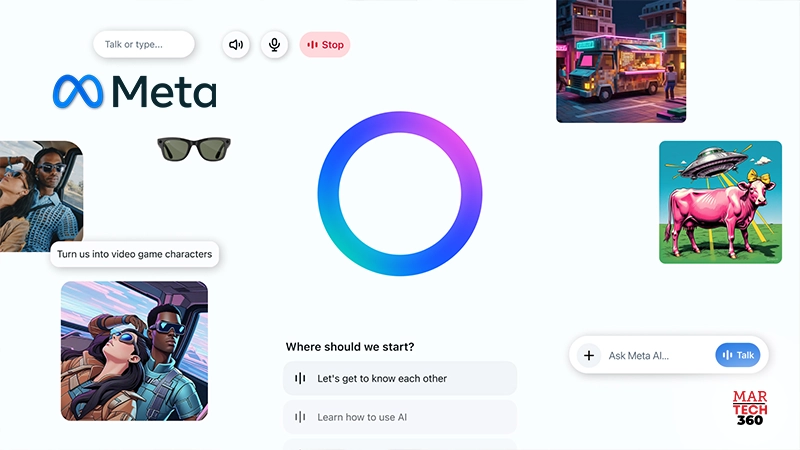
Meta has unveiled its new Meta AI app, powered by the advanced Llama 4 model—offering users an intuitive, voice-first experience with its personal AI assistant. Already integrated across platforms like WhatsApp, Instagram, Facebook, and Messenger, Meta AI now expands into a dedicated mobile app designed to make AI interactions more conversational, dynamic, and accessible on the go.
This initial release marks a foundational step in Meta’s vision to create AI that feels truly personal—learning from individual preferences, enabling multitasking, and integrating seamlessly into users’ digital lives. With this launch, Meta invites users to explore the app and share feedback to help refine future iterations.
Smarter Conversations Start Here
Meta AI is built to understand users deeply—offering more relevant, useful responses tailored to personal needs. Whether you’re speaking or typing, Meta AI engages in natural, fluid conversations and can even incorporate insights from your digital world—friends, favorite creators, and personal interests.

A key feature of the new app is its voice interaction capability, including a visible microphone icon so users know when it’s active. The assistant can operate hands-free, making it ideal for users multitasking across devices.
Also Read: Meltwater Unveils New Snapchat Integration for Enhanced Social Listening Insights
“Hey Meta, Let’s Chat”
While voice-based assistants aren’t new, Meta’s update takes the experience further by integrating Llama 4—delivering faster, more natural, and context-aware responses. Users can also access integrated features like image generation and editing, all within the same voice or text-based interface.
To showcase the future of voice AI, Meta has included a voice demo powered by full-duplex speech technology, enabling more fluid, real-time dialogue. This capability allows the AI to speak naturally instead of reading pre-written responses. Though this feature doesn’t pull from live web data, it’s an early look at the possibilities of AI-human conversation. Meta will continue to collect feedback to refine this experimental experience.
Currently, voice capabilities and the full-duplex demo are available in the US, Canada, Australia, and New Zealand, with guidance available in the Help Center on how to switch modes and manage preferences.
AI Designed Around You
Built with Llama 4, Meta AI provides intelligent, nuanced support for a wide range of tasks—from answering complex questions to offering recommendations and helping you explore topics of interest. With built-in search functionality, Meta AI delivers informed insights while encouraging deeper discovery.
Meta has drawn on years of personalization experience to help its AI understand user context. For example, it can remember preferences (like your passion for travel or interest in languages), and tailor responses based on content you’ve engaged with across Meta platforms—enhancing accuracy and user relevance. If Facebook and Instagram accounts are linked via Meta’s Accounts Center, Meta AI can synthesize information from both to deliver even more personalized results. These features are now available in the US and Canada.
The app also features a Discover feed, where users can explore and remix popular AI prompts shared by others. This community-driven experience allows creativity and collaboration—while keeping users in control, as nothing is shared publicly unless they choose to post.
Meta AI Wherever You Are
Meta AI’s capabilities extend across the entire Meta ecosystem, offering consistent access through Facebook, Instagram, WhatsApp, Messenger, and the innovative Ray-Ban Meta smart glasses.
Smart glasses are becoming a defining hardware of the AI era, and Meta is merging the new app with the Meta View companion app to create a unified experience. In supported regions, users will be able to switch between interacting with Meta AI on their Ray-Ban Meta glasses and the app—enabling continuity between devices. Conversations started on the glasses can be revisited in the app or web via the history tab, although the reverse (starting in the app and resuming on glasses) is not currently supported.
Once the app is updated, existing Meta View users will see their settings, media, and paired devices automatically transferred to the new Devices tab within the Meta AI app.
Expanded Web Experience
Meta AI’s web platform is also being enhanced with the same voice capabilities and Discover feed as the app, offering a more robust experience across larger screens. The web interface is optimized for productivity and includes improved image generation features—with customization options for lighting, mood, style, and color.
Meta is also testing a rich document editor in select countries. This feature enables users to create AI-generated documents that combine text and images, with the ability to export content as PDFs. Additional functionality to import documents for AI analysis is also under evaluation.
Comments are closed.